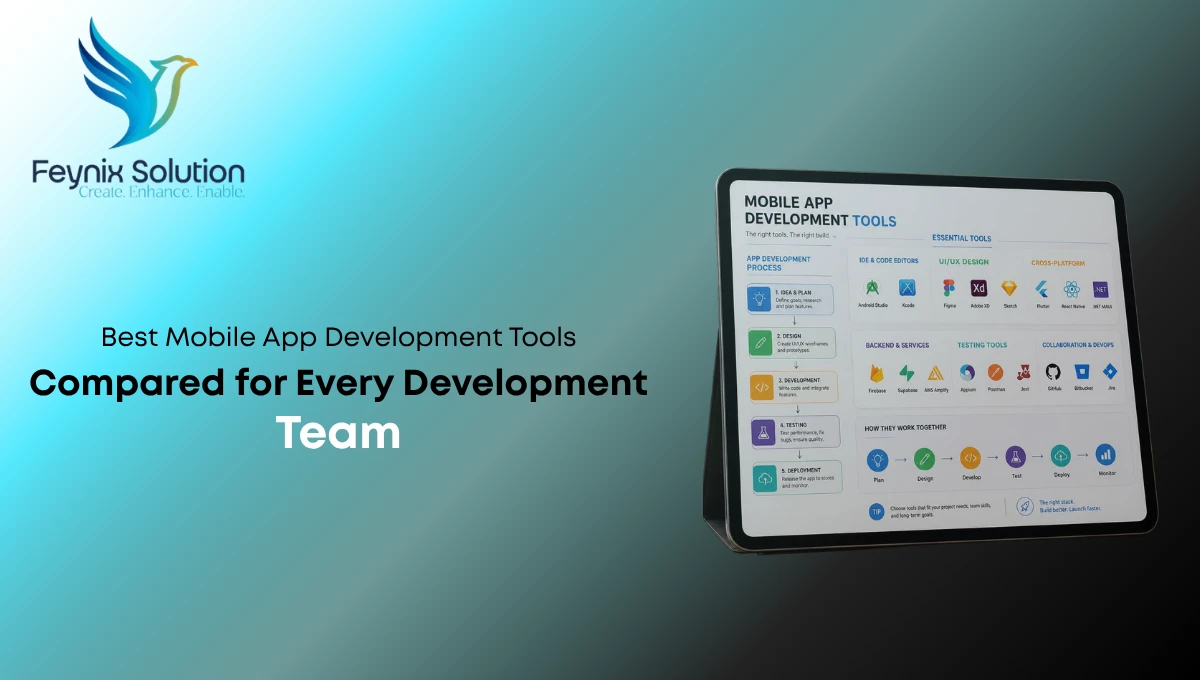
Finding the Best Mobile App Development Tools solution isn’t about choosing the most popular tool, it’s about selecting software that matches your team’s skills, project goals, and long-term growth plans.
Mobile app development relies on powerful software solutions to streamline the entire creation process. The right mobile development tools help developers design, build, test, and deploy Android and iOS applications efficiently. They include native, cross-platform, no-code, and low-code solutions, each offering unique advantages depending on your project requirements, budget, scalability, and development timeline.
Why Choosing the Right Mobile App Development Tool Matters
Every development team works differently. A startup launching its first MVP has different priorities than an enterprise managing millions of users.
In our experience working with businesses of different sizes, one mistake appears repeatedly, teams choose tools based on popularity instead of project requirements. That often results in higher costs, slower releases, and unnecessary redevelopment later.
Choosing the right app development software can help your team:
- Reduce development time
- Improve application performance
- Lower maintenance costs
- Simplify collaboration
- Build scalable applications
- Speed up testing and deployment
For organizations investing in digital transformation, integrating mobile applications with broader Business Technology Solutions can create a more connected and efficient ecosystem.
Types of Mobile App Development Tools
Before comparing platforms, it’s important to understand the four major categories.
Understanding the different tools for mobile app development helps teams choose the right platform based on performance, budget, technical skills, and project requirements.
Native App Development
Native development creates separate Android and iOS applications using platform-specific languages such as Kotlin, Java, Swift, or Objective-C.
Best for
- Maximum performance
- Gaming applications
- Banking apps
- Healthcare apps
- High-security solutions
Advantages
- Faster performance
- Better hardware integration
- Strong security
- Excellent user experience
Limitations
- Higher development cost
- Separate codebases
- Longer development cycles
Cross Platform Mobile App Development Tools
Cross-platform frameworks allow developers to write one codebase that works across Android and iOS.
These cross platform mobile app development tools have become the preferred choice for many startups because they significantly reduce development time while maintaining excellent performance.
Best suited for:
- Ecommerce apps
- Business applications
- Booking platforms
- Social apps
- Education platforms
Low Code Mobile App Development
Low-code platforms simplify development by providing drag-and-drop interfaces while still allowing developers to customize code.
Ideal for:
- Internal business apps
- Enterprise workflows
- CRM applications
- Rapid MVP development
No Code App Development
For entrepreneurs with little or no programming experience, no code app development platforms provide visual builders that make it possible to create a mobile app without writing traditional code.
They’re excellent for:
- Small businesses
- Local services
- Event applications
- Appointment booking
- Prototype validation
Best Mobile App Development Tools 2026 Compared
Flutter
Flutter continues to be among the best mobile app development tools 2026 because of its excellent UI rendering engine and single codebase.
Advantages
- Fast development
- Beautiful UI components
- Excellent performance
- Strong community
- Hot Reload support
Drawbacks
- Larger application size
- Dart language learning required
Expert Insight
Flutter performs exceptionally well for startups that want both Android and iOS applications without doubling development costs.
React Native
React Native remains one of the industry’s most trusted advanced mobile app development tools.
It allows JavaScript developers to build mobile applications using reusable components while maintaining near-native performance.
Pros
- Huge community
- Fast updates
- Easy maintenance
- Large plugin ecosystem
Cons
- Native modules sometimes required
- Performance limitations for graphics-intensive apps
Best suited for:
- Ecommerce
- SaaS products
- Delivery applications
- Marketplace platforms
Businesses planning scalable customer platforms often combine React Native with professionally managed Custom App Development services to support future feature expansion and integrations.
Android Studio
Android Studio is Google’s official IDE for Android development.
For teams focused exclusively on Android, it’s still considered among the best app development software available.
Key Features
- Built-in emulator
- Kotlin support
- Advanced debugging
- Performance profiling
- Jetpack integration
Best For
- Native Android apps
- Enterprise mobility
- Healthcare
- Financial technology
- IoT applications
Xcode
Apple’s Xcode is essential for professional iOS development.
Developers building premium Apple experiences rely on Xcode because of its advanced debugging capabilities, Interface Builder, SwiftUI support, and simulator tools.
Benefits
- Optimized for Apple ecosystem
- SwiftUI integration
- Excellent testing tools
- High-performance applications
Limitations
- macOS only
- Steeper learning curve
Organizations targeting Apple users often benefit from dedicated IOS App Development Services combined with long-term mobile strategy planning.
Flutter vs React Native
| Feature | Flutter | React Native |
| Programming Language | Dart | JavaScript |
| Performance | Excellent | Very Good |
| UI Flexibility | Excellent | Very Good |
| Community | Large | Very Large |
| Learning Curve | Moderate | Easy for JS developers |
| Best For | Custom UI | Business Apps |
Which One Should You Choose?
Choose Flutter if:
- UI matters most
- You’re building a brand-new application
- Performance is a priority
Choose React Native if:
- Your team already knows JavaScript
- Faster onboarding is important
- You need broad third-party library support
Best Mobile App Development Programming Languages
.NET MAUI
Microsoft’s .NET MAUI is a modern framework for building applications across Android, iOS, Windows, and macOS using a single C# codebase. It is especially valuable for organizations already invested in the Microsoft ecosystem.
Advantages
- Single codebase for multiple platforms
- Excellent Visual Studio integration
- Enterprise-grade security
- Easy integration with Azure cloud services
Limitations
- Smaller community than Flutter or React Native
- Some third-party libraries are still evolving
Best for: Enterprise applications, internal business tools, and corporate productivity apps.
Ionic
Ionic is a hybrid development framework that uses HTML, CSS, and JavaScript to build mobile applications.
Pros
- Fast development
- Large collection of UI components
- Easy for web developers
- Strong community support
Cons
- Lower performance for graphics-intensive apps
- Relies on WebView for rendering
Best for: Business apps, content-driven applications, and rapid MVP development.
Bubble
Bubble has become one of the leading no code app development platforms for entrepreneurs and startups.
Advantages
- No programming required
- Visual drag-and-drop builder
- Built-in database
- Workflow automation
- Quick deployment
Drawbacks
- Limited customization compared to coded apps
- Not ideal for high-performance applications
Bubble is an excellent option for validating business ideas before investing in full-scale development.
OutSystems
OutSystems is a powerful low code mobile app development platform designed for enterprise organizations.
Benefits
- Rapid application development
- AI-assisted development features
- Enterprise security
- Scalable architecture
- Strong integration capabilities
Challenges
- Higher licensing costs
- Requires platform-specific training
Best for: Large businesses, government organizations, and enterprises managing complex workflows.
For organizations planning scalable mobile products across platforms, Custom Mobile App Development provides greater flexibility and long-term growth:
Cost vs Value Analysis
Choosing the right app building software is not only about licensing costs, it’s about the total value it delivers over time.
Expert Tip: If your app is expected to scale, investing in professional development early often reduces future redevelopment costs.
How AI Is Changing Mobile App Development
Modern advanced mobile app development tools increasingly include AI-powered features that help developers:
- Generate code suggestions
- Detect bugs earlier
- Improve testing efficiency
- Automate documentation
- Optimize application performance
AI speeds up development, but experienced developers are still essential for architecture, security, scalability, and user experience decisions.
Choosing the Right Tool for Your Project
Different projects require different approaches.
Native Development if you need:
- High-performance gaming apps
- Banking applications
- Healthcare solutions
- Offline functionality
- Maximum device integration
Cross-Platform Development if you need:
- Faster launch
- Lower development costs
- Shared codebase
- Consistent user experience
- Startup-friendly budgets
Low-Code if:
- Internal business processes need automation
- You want faster deployment
- Development resources are limited
No-Code if:
- You’re building an MVP
- You have minimal technical experience
- Speed is more important than customization
Businesses requiring highly customized Android solutions can benefit from professional custom mobile app development services for android
Common Mistakes Development Teams Should Avoid
Many teams face delays because of avoidable planning errors.
Some of the most common mistakes include:
- Choosing tools based only on popularity
- Ignoring future scalability
- Underestimating maintenance costs
- Neglecting app security
- Failing to test on real devices
- Overlooking user experience
- Not planning API integrations early
Avoiding these issues can significantly reduce development time and long-term expenses.
Expert Insights from the Feynix Solution Team
Over the years, we’ve seen businesses save both time and budget by selecting development tools based on project goals rather than trends.
A startup building an MVP may benefit from Flutter or Bubble, while an enterprise requiring secure integrations often gains more value from .NET MAUI or native development. The most successful projects begin with a clear product strategy, scalable architecture, and realistic planning, not simply the latest framework.
What Our Clients Say
Michael Anderson – Texas
Feynix Solution helped us choose the right technology stack for our mobile app. Their recommendations reduced development time and kept our project within budget.
Emily Carter – California
Their development team explained the pros and cons of each platform clearly. The final application performs exactly as we expected on both Android and iOS.
James Walker – Florida
From planning to deployment, the process was transparent and professional. Their technical expertise made a noticeable difference in the quality of our app.
People Also Asked
Which is the best mobile app development tools in 2026?
Flutter and React Native remain leading choices for cross-platform apps, while Android Studio and Xcode are ideal for native development.
What is the difference between native and cross-platform development?
Native development builds separate apps for each platform, while cross-platform development uses a shared codebase for Android and iOS.
Can I create a mobile app without coding?
Yes. Platforms like Bubble and other no-code solutions allow users to build functional applications without traditional programming.
Which app development software is best for startups?
Flutter, React Native, and Bubble are excellent options because they reduce development costs while enabling faster product launches.
How do I choose the right Mobile App Development Company?
Look for proven experience, scalable development practices, transparent communication, strong technical expertise, and a portfolio of successful mobile applications.
Conclusion
Selecting the Best Mobile App Development tools approach depends on your business goals, technical requirements, budget, and future growth plans. Native development delivers maximum performance, cross-platform frameworks offer speed and cost efficiency, while low-code and no-code platforms help businesses launch solutions quickly.
If you’re planning to build a secure, scalable, and high-performing mobile application, partnering with an experienced development team can make all the difference. Feynix Solution provides end-to-end mobile app strategy, design, development, testing, and deployment services tailored to businesses of all sizes. Learn more at and start building your next mobile application with confidence.
Author Bio
Feynix Solution Content Team
The Feynix Solution Content Team consists of experienced software strategists, mobile application specialists, developers, and digital technology writers. Our content is based on industry best practices, practical development experience, and the latest software trends to help businesses make informed technology decisions. We create reliable, user-focused resources aligned with Google’s guidelines and the evolving mobile app development landscape.