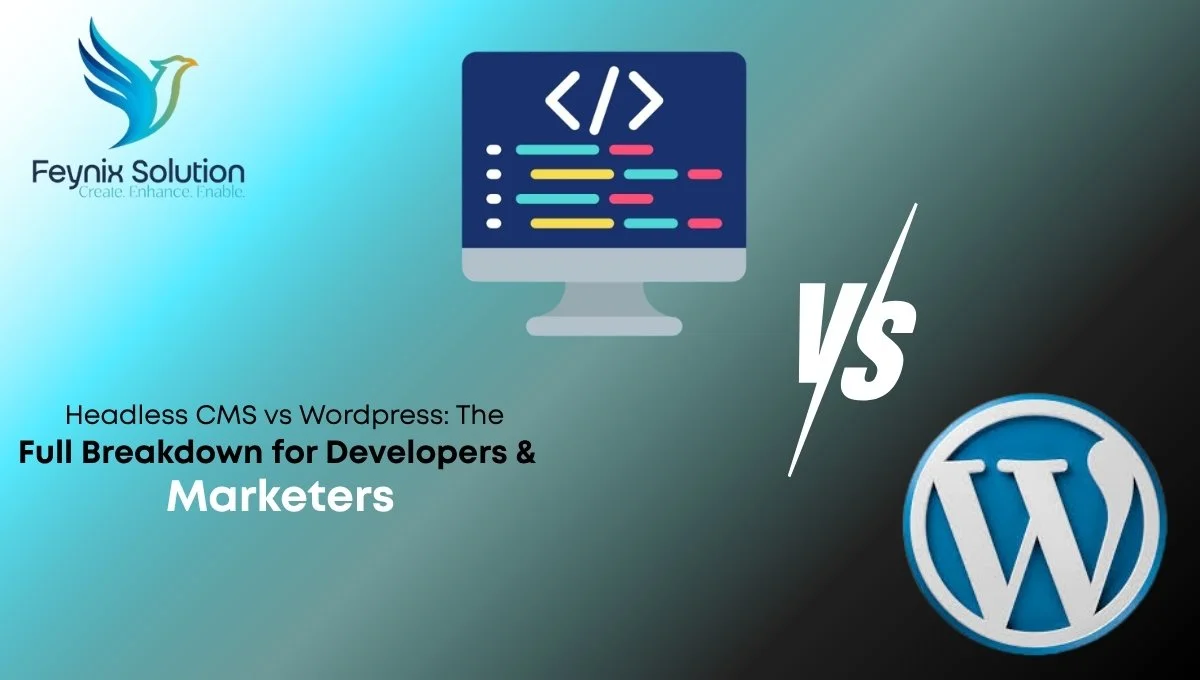
For over two decades, traditional content management systems like WordPress powered the web. They offered an all-in-one solution. The backend database and frontend layer lived together. But digital experiences are expanding rapidly today. They reach smartwatches, mobile apps, and IoT devices. The traditional approach is hitting a wall. Enter the headless CMS architecture. Decoupling content from the presentation layer gives businesses total freedom. Are you planning a website redesign? Are you launching a new digital product? You face a critical decision: Headless CMS vs WordPress.
Choosing the right foundation impacts your loading speeds, security, development velocity, and marketing workflows. To help you navigate this architectural shift, Feynix Solution delivers the ultimate breakdown tailored specifically for developers and marketers.
Understanding Headless WordPress: The Hybrid Approach
An important question many business owners ask is: “What is headless WordPress CMS?” Simply put, headless WordPress CMS is WordPress configured to work like a traditional headless system, where WordPress serves as a pure content management backend without controlling the frontend presentation layer. Unlike standard WordPress, which tightly couples the backend and frontend, headless WordPress uses the WordPress REST API to deliver content as raw data to modern frontend frameworks like React or Next.js.
This hybrid approach gives you the best of both worlds, the familiar content management interface and plugin ecosystem that marketers love, combined with the performance benefits and frontend flexibility of a true headless architecture. While WordPress isn’t strictly a headless CMS by default, converting it into one allows businesses to maintain their existing WordPress workflows while gaining the scalability, speed, and multi-platform content delivery capabilities that modern digital experiences demand.
Understanding the Core Architecture
Before diving into the comparison, we must understand how these two systems handle data and presentation.
Traditional WordPress (Monolithic)
WordPress couples the backend and frontend tightly together. When a user visits your site, WordPress queries the MySQL database, processes the PHP code, and generates the HTML page right then and there. Your themes, plugins, and content all live in the same environment.
Headless CMS (Decoupled)
A headless CMS acts strictly as a content repository. It handles the backend work, storing text, images, and data, but completely drops the frontend “head.” The system delivers your content as raw data through an application programming interface (API). Developers can then use modern frontend frameworks to pull that data and display it on any screen or device. This approach is often used by a Custom Web Development Company to build flexible and scalable digital solutions for modern businesses.
Which Headless CMS Is Easiest to Migrate to from WordPress? Compare
Migrating from WordPress to a headless CMS requires careful planning, but several platforms stand out for their ease of transition. Contentful leads the market with its intuitive migration tools, flexible content models, and extensive WordPress-to-Contentful conversion support. Strapi, an open-source alternative, offers a gentler learning curve for teams already familiar with WordPress concepts, while maintaining powerful API capabilities. Sanity excels in providing a smooth migration experience with its portable text editor and built-in version control, making it ideal for content-heavy sites. For businesses prioritizing minimal downtime, Statamic combines WordPress’s familiar admin interface with headless flexibility, reducing the adjustment period for your team. The easiest migration path depends on your content structure, team expertise, and budget, but these platforms are specifically optimized to minimize friction when moving away from WordPress’s monolithic architecture.
The Developer’s Perspective: Freedom vs. Familiarity
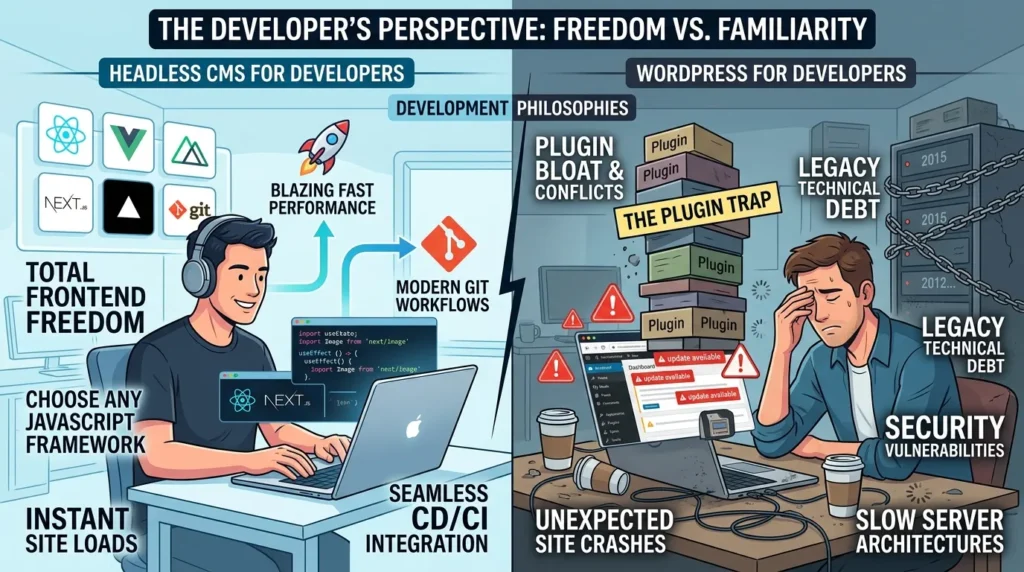
Developers look at web infrastructure through the lenses of flexibility, code maintainability, and performance. The debate between a headless CMS vs WordPress highlights two completely different development philosophies.
Headless CMS for Developers
- Total Frontend Freedom: Developers do not have to write PHP or wrestle with the WordPress theme engine. They can build the frontend using cutting-edge JavaScript frameworks like React, Next.js, Vue, or Nuxt.
- Blazing Fast Performance: Because a headless CMS serves static files or optimized API payloads, websites load instantly. You eliminate slow database queries and heavy server rendering times.
- Modern Git Workflows: Developers can use modern deployment platforms like Vercel or Netlify, integrating continuous deployment and version control seamlessly into their workflow.
WordPress for Developers
- The Plugin Trap: While plugins speed up initial development, maintaining a massive stack of third-party plugins leads to code bloat, version conflicts, and unexpected site crashes.
- Legacy Technical Debt: WordPress relies heavily on older technologies. Developers often spend more time fixing security vulnerabilities and optimizing slow server architectures than writing clean, modern code.
The Marketer’s Perspective: Autonomy vs. Flexibility
WordPress for Marketers
- Unmatched Visual Editing: Tools like the Gutenberg editor or Elementor allow marketers to build pages, drag elements around, and preview exactly how the page will look before hitting publish.
- Complete Independence: A marketing team can launch landing pages, write blogs, install SEO tools like Yoast, and track analytics without writing a single line of code or waiting on a developer.
Headless CMS for Marketers
- Omnichannel Content Delivery: Instead of rewriting a blog post for your website, your mobile app, and your smart screens, you write it once in a headless CMS. The system pushes that single piece of content everywhere via APIs.
- The Preview Challenge: Because the frontend is decoupled, marketers cannot always see a live preview of their edits instantly. However, agencies like Feynix Solution bridge this gap by setting up dedicated preview environments that give marketers the visual reassurance they need.
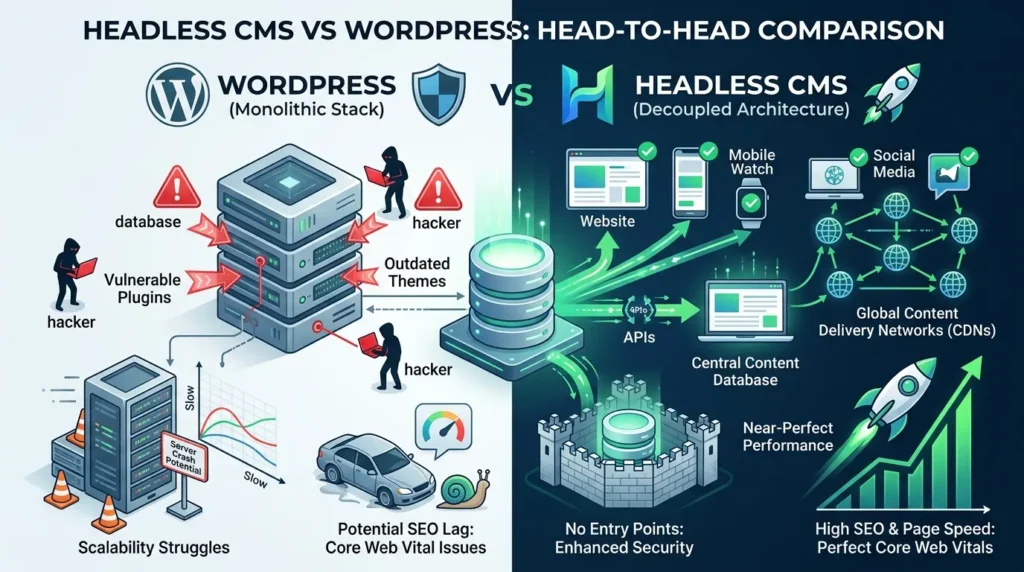
Headless CMS vs WordPress: Head-to-Head Comparison
To make an informed business decision, let us break down the most critical operational categories:
- Security: WordPress powers over 40% of the web, making it the primary target for global hackers. Vulnerable plugins and outdated themes expose sites to constant risks. A headless CMS separates your database from the public eye, removing the entry points that hackers exploit.
- Scalability: If your WordPress site gets a sudden spike in traffic, your server can easily crash under the weight of database queries. A headless CMS delivers content through Global Content Delivery Networks (CDNs), allowing your site to handle millions of simultaneous visitors without breaking a sweat.
- SEO Performance: Core Web Vitals heavily impact Google rankings in the USA. Headless websites achieve near-perfect performance scores because they lack heavy monolithic code, giving you a distinct advantage in search rankings.
The Strategic Choice: Which One Fits Your Business?
There is no single winner in the headless CMS vs WordPress matchup. The right choice depends entirely on your business goals, budget, and internal team structure.
Choose WordPress If:
- You are building a standard content site, local business page, or brochure website.
- Your marketing team requires complete, independent control over layouts without developer intervention.
- You have a limited budget and need to launch a functional website quickly using pre-made templates.
If you want to understand “How Long Does it Take to Build a Website,” you can visit our page to get a complete guide on website development timeframes, process, and what factors affect the overall timeline.
Choose a Headless CMS If:
- You want to deliver a unified digital experience across websites, iOS/Android apps, and eCommerce platforms.
- Website speed, enterprise-grade security, and 100% uptime are non-negotiable for your brand.
- You have an established development team ready to leverage modern JavaScript stacks.
Is WordPress a Headless CMS?
No, WordPress is not a true headless CMS by default. WordPress operates as a monolithic, coupled system where the backend content management and frontend presentation layer are tightly integrated. When you publish content in WordPress, the system automatically renders it into HTML and displays it on your website through tightly coupled themes and templates. However, WordPress can be transformed into a headless CMS through custom configuration.
By decoupling the WordPress backend from the frontend and using the WordPress REST API, developers can extract content as raw data and deliver it to multiple channels, websites, mobile apps, IoT devices, and more. This approach, often called “headless WordPress,” gives businesses the content management familiarity of WordPress with the flexibility and performance benefits of a true headless architecture. That said, this conversion requires significant development expertise and doesn’t come naturally with WordPress. If you need true headless capabilities out of the box, dedicated headless CMS platforms like Contentful, Strapi, or Sanity offer better purpose-built solutions without requiring architectural retrofitting.
What Does Feynix Solution Recommend?
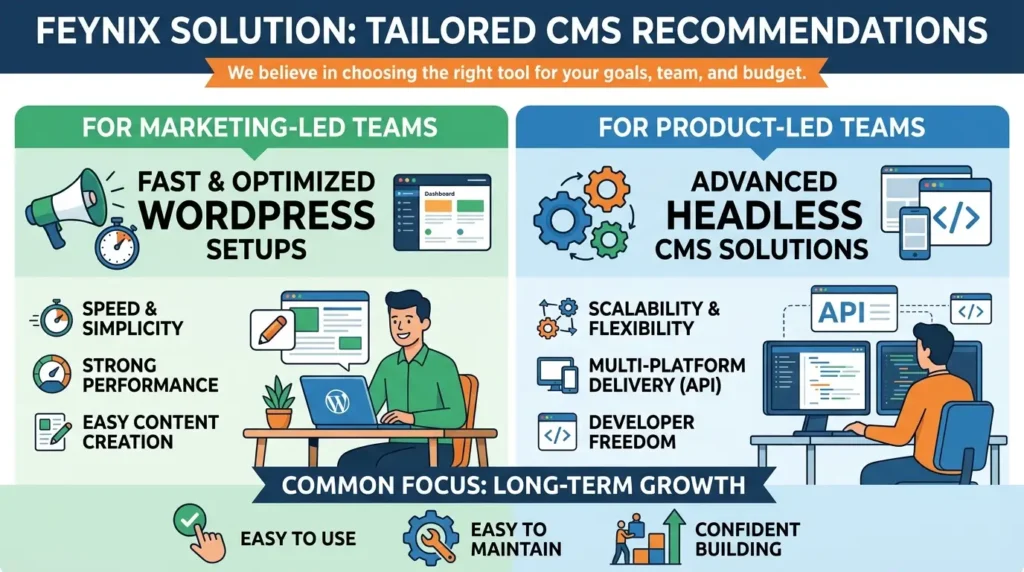
- At Feynix Solution, we do not believe in a one-size-fits-all CMS approach because every business has different goals and needs.
- We work with startups, growing businesses, and enterprise clients, and we choose the CMS based on your goals, team structure, and budget.
- For marketing-led teams that need speed and simplicity, we build fast and well-optimized WordPress setups that maintain strong performance.
- For product-led teams that require scalability and multi-platform content delivery, we design and implement advanced headless CMS solutions.
- We always focus on selecting a platform that your team can easily use, maintain, and confidently build on for long-term growth.
Customer reviews
James Mitchell – Austin, TX
“Feynix Solution helped us move from WordPress to a headless setup. The site loads twice as fast and our dev team finally has the freedom they needed. Worth every penny.”
Sarah Reynolds – New York, NY
“I was sceptical about leaving WordPress, but Feynix Solution walked us through every step. Our marketing team can still manage content easily. The transition was smoother than I expected.”
David Kim – Seattle, WA
“We needed a CMS that worked across our web app and mobile platform. Feynix Solution recommended headless and built the whole thing. Performance is incredible and the team is super responsive.”
Ashley Turner – Chicago, IL
“Feynix Solution didn’t just build our site, they helped us think through the right platform for our workflow. We stayed with WordPress and they optimized it beautifully. Great experience.”
Ryan Collins – Denver, CO
“Solid knowledge, honest advice, and clean execution. Feynix Solution knows both WordPress and headless inside out. They gave us a real recommendation — not just what sounded impressive.”
People Also Asked
Q1: Is Headless CMS better than WordPress?
It depends on your goals. Headless CMS offers better performance and flexibility for developers. WordPress is better for teams that need simplicity and a fast launch. Neither is universally better; the right choice depends on your project.
Q2: Is WordPress a headless CMS?
No. WordPress is not headless by default, but it can be configured as a headless CMS by separating its backend from the frontend and using APIs to deliver content.
Q3: Is WordPress good for large-scale websites?
Yes, but it requires proper infrastructure, good hosting, caching, and a lean plugin stack. Large WordPress sites need more maintenance than headless setups, which can scale efficiently through CDN delivery.
Q4: Which CMS is faster — Headless or WordPress?
Headless CMS setups paired with static frontends are generally faster because they can serve pre-built pages from a CDN. WordPress can also be optimized for speed, but headless setups often provide a performance advantage.
Q5: Which Headless CMS Is Easiest to Migrate to From WordPress?
For businesses moving away from WordPress, the easiest headless CMS to migrate to is one that supports flexible content models, API-based content delivery, and straightforward content migration. Platforms such as Contentful, Strapi, and Sanity are popular options.
Q6: How does this visual headless CMS compare to WordPress?
A visual headless CMS can offer greater frontend flexibility and performance while allowing content teams to manage content visually. WordPress is generally easier to set up and manage, making it a better fit for teams that prioritize simplicity.
Final thoughts
The Headless CMS vs WordPress debate has no single right answer. It only has the right answer for your specific business. WordPress wins on simplicity, speed, and marketing usability. Headless wins on performance, developer experience, and scalability. When scaling a large organization, you must evaluate headless cms vs wordpress vip for enterprise to make the smartest choice. Know your team’s priorities, then choose accordingly. Feynix Solution guides your project and helps you select the best path. Contact at Feynix Solution today and let’s have a real conversation about your project. Whether you’re starting from scratch, migrating from an existing platform, or just exploring your options, we’re here to guide you every step of the way.