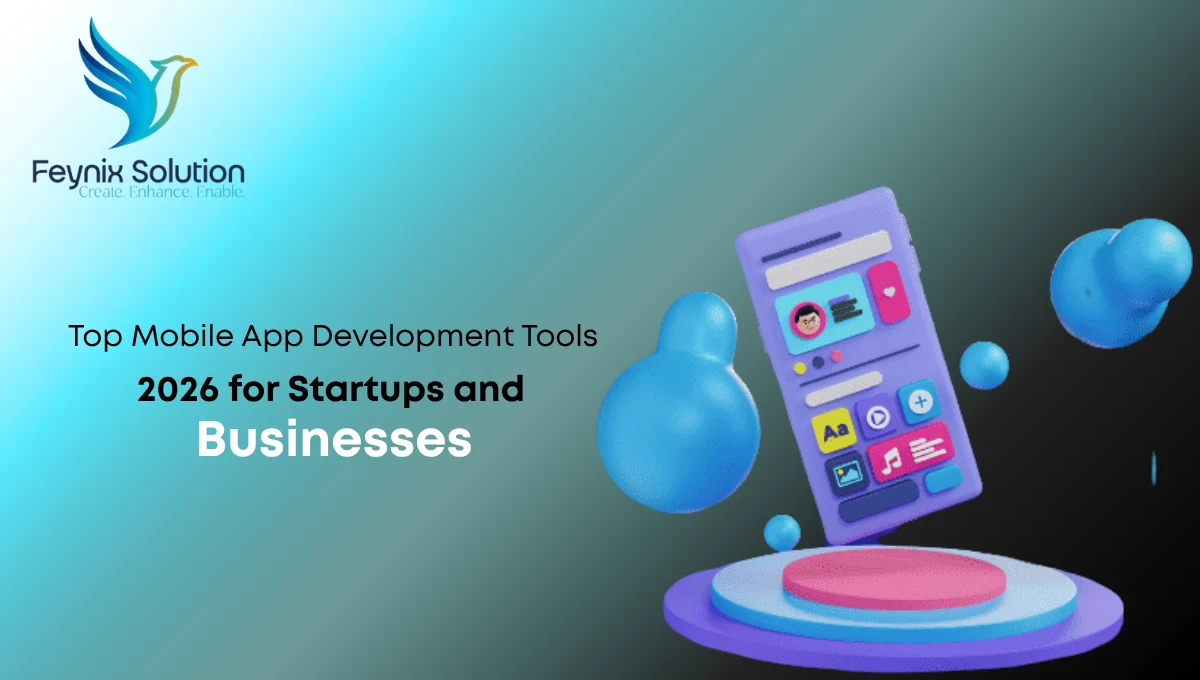
Choosing from the top mobile app development tools 2026 can be one of the most important technical decisions for a startup or growing business. The wrong framework, backend platform, or testing solution can create development complexity, security concerns, performance issues, and maintenance challenges later. A tool that works well for one application may not be suitable for another, which is why businesses should evaluate their target platforms, app complexity, integrations, development team, budget, and long-term growth plans before making a decision.
The right development stack can support a more practical development process from planning and coding to testing, deployment, and ongoing maintenance. This guide examines the best platform tools 2026 and key mobile app development tools businesses should consider when planning a new application.
What Are Mobile App Development Tools?
Mobile app development tools are software platforms, frameworks, services, and development environments used to create and manage mobile applications.
They can support different stages of development, including:
- Planning and application architecture
- User interface development
- Android App Development
- iOS application development
- Cross-platform development
- Backend and API integration
- Database management
- App testing and debugging
- Security testing
- Performance monitoring
- Application deployment and maintenance
A development team may use several tools together rather than relying on one platform for the entire project.
Top Mobile App Development Tools 2026 for Startups and Businesses
The right tool depends on the application type and business requirements. Some tools are designed for native development, while others help teams build applications for multiple platforms using shared code.
1. Flutter
Flutter is a cross-platform application development framework that allows teams to build applications for multiple platforms from a shared codebase.
It can be suitable for startups and businesses that want to develop applications for Android and iOS while maintaining a consistent user interface.
Flutter may be useful for:
- Startups building an initial product
- Business applications
- Cross-platform mobile applications
- Teams seeking reusable development components
However, the development team should evaluate platform-specific requirements before selecting a cross-platform approach.
2. React Native
React Native enables cross-platform app development for Android and iOS using shared code. It can suit teams familiar with JavaScript, but app complexity, native features, performance, and maintenance should guide the final choice.
3. Android Studio
Android Studio is a primary development environment for Android applications. It provides tools for writing, testing, debugging, and managing Android projects.
It can be a strong choice for businesses focused primarily on Android App Development.
Development teams can use it to work with Android-specific application features, test different device configurations, and identify technical issues during development.
4. Xcode
Xcode is Apple’s development environment for building, testing, debugging, analyzing, and deploying iOS applications. It is suitable for businesses requiring native iOS development and deep integration with Apple platform features.
5. Firebase
Firebase offers backend services for authentication, databases, analytics, messaging, and app monitoring. It can support startups during early development, but businesses should consider security, architecture, data needs, and future scalability.
6. GitHub
Version control is an important part of professional application development. GitHub can help development teams manage source code, collaborate on projects, review changes, and organize development workflows.
For startups and businesses working with an internal team or a custom App development agency, version control helps maintain better visibility into project changes.
A structured repository can also support collaboration between developers, project managers, and technical stakeholders.
7. Postman
Mobile applications frequently communicate with backend systems through APIs. Postman is commonly used to work with and test APIs during development.
It can help teams:
- Send API requests
- Review responses
- Test authentication
- Check API behavior
- Identify integration problems
API testing is particularly important when a mobile application connects with payment systems, customer databases, enterprise platforms, or third-party services.
8. Appium
Appium supports automated mobile app testing across devices and operating systems. It can improve testing efficiency, but real-device and manual testing remain important for evaluating performance and user interactions.
9. Sentry
- Application monitoring tools can help teams identify crashes and technical problems after an application has been released.
- Sentry is one example of a monitoring solution that development teams may evaluate for application error tracking and performance-related insights.
- Post-launch monitoring can help businesses identify problems that may not appear during controlled development testing.
10. AI-Assisted Development Tools
AI-assisted development tools can support code suggestions, documentation, debugging, and repetitive tasks. However, experienced developers should review AI-generated code, as it does not replace architecture, security, testing, or technical decisions.
How Should Startups Choose Mobile App Development Tools?
Startups should avoid choosing tools simply because they are popular. The better approach is to evaluate the application requirements and business roadmap first. Important questions include:
What platforms will the app support?
If the application only targets Android, Android-focused development tools may be appropriate. If both Android and iOS are required, a cross-platform framework may reduce duplicated development work.
How complex is the application?
A basic business application may have different technical requirements from a platform that includes real-time communication, payment processing, location services, or complex data processing.
What is the long-term maintenance plan?
A tool should be evaluated beyond the initial launch. Businesses should consider:
- Developer availability
- Updates and community support
- Integration requirements
- Security maintenance
- Future feature development
What are the security requirements?
Applications that handle customer information, business data, payments, or sensitive account details require appropriate security planning. Security should be considered during architecture and development rather than treated as a final step before launch.
Native vs Cross-Platform App Development Tools
The choice between native and cross-platform development depends on project requirements.
| Factor | Native Development | Cross-Platform Development |
| Platform focus | Android or iOS specific | Multiple platforms |
| Code sharing | Limited | Greater code reuse |
| Platform-specific features | Strong control | May require additional integration |
| Development approach | Platform-specific | Shared development approach |
| Best fit | Complex platform-focused apps | Multi-platform business applications |
Neither approach is automatically better for every project. A technical team should select the development approach based on application features, performance requirements, available expertise, and future maintenance needs.
What tools do I need to launch a consumer mobile app in 2026?
When planning a successful product release, developers often ask: what tools do I need to launch a consumer mobile app in 2026? To build a modern, high-performing app today, you need a powerful combination of cross-platform frameworks like Flutter or React Native, cloud-backend services like Firebase, and automated CI/CD tools for quick deployments. Integrating AI-assisted coding tools and real-time analytics platforms ensures your app remains user-friendly, secure, and ready to scale effectively in today’s competitive mobile ecosystem.
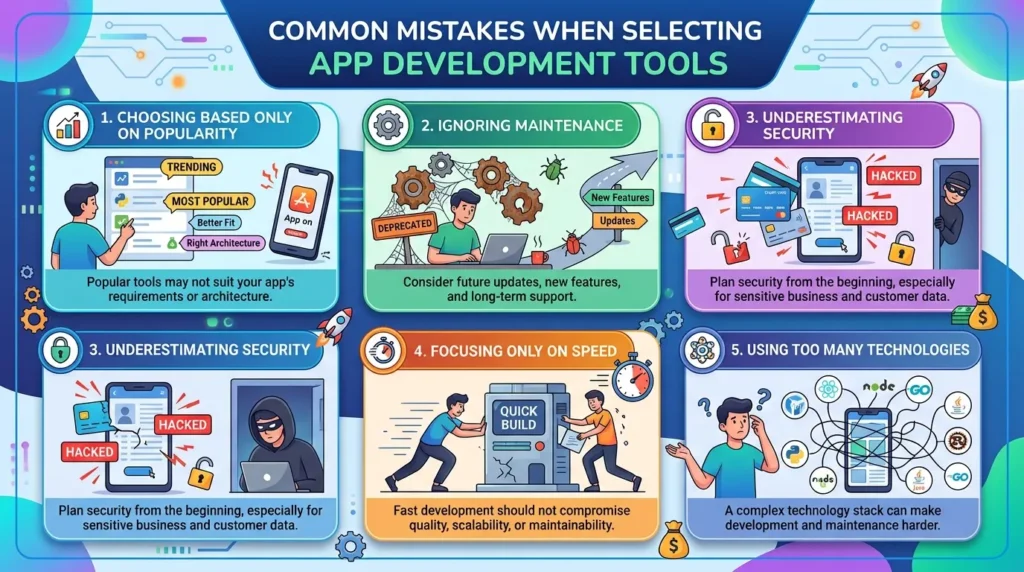
Common Mistakes When Selecting App Development Tools
- Choosing Based Only on Popularity: Popular tools may not suit your app’s requirements or architecture.
- Ignoring Maintenance: Consider future updates, new features, and long-term support.
- Underestimating Security: Plan security from the beginning, especially for sensitive business and customer data.
- Focusing Only on Speed: Fast development should not compromise quality, scalability, or maintainability.
- Using Too Many Technologies: A complex technology stack can make development and maintenance harder.
How Feynix Solution Can Help Businesses Select the Right Tools
Choosing the right development tool is only one part of building a successful mobile app. Feynix Solution helps businesses evaluate app requirements, platforms, backend integrations, security, scalability, and long-term maintenance needs. From Android App Development and iOS application development to cross-platform solutions, Feynix Solution helps IT managers and business owners select a practical technology stack aligned with their current and future goals.
Customer Testimonials
Business Owner
Feynix Solution helped us choose the right mobile app development tools for our business. Their guidance made the development process more organized and easier to manage.
IT Manager
Our team needed the right tools for a scalable mobile application. Feynix Solution understood our technical requirements and recommended a practical development approach.
Startup Founder
As a startup, we wanted to avoid unnecessary development costs and technical complexity. Feynix Solution helped us select suitable mobile app development tools for our project.
FAQs
What are the top mobile app development tools in 2026?
The top mobile App development Tools 2026 include frameworks, native platforms, backend tools, testing solutions, and AI-assisted development tools.
Which tool is best for cross-platform mobile app development?
Flutter and React Native are popular options, depending on your app’s features, performance needs, and development requirements.
Should startups choose native or cross-platform app development?
Startups should consider their target platforms, budget, app complexity, performance needs, and future growth plans.
What tools are used for mobile app testing?
Common tools include automated testing platforms, API testing tools, debugging environments, monitoring solutions, and real-device testing.
Conclusion
Choosing the right tools is essential for building a secure, scalable, and maintainable mobile application. The top mobile App development tools 2026 include solutions for native and cross-platform development, backend services, testing, monitoring, and AI-assisted development.
The best technology stack should match your app’s requirements, budget, security needs, and growth plans. Feynix Solution can help your business select the right development approach and build a stronger foundation for long-term mobile app success.
Talk To Us
Facebook
Instagram
Linkedin
Pinterest
About the Author
This article was prepared by the Feynix Solution content team, which focuses on mobile app development, custom software solutions, digital product development, and technology services for modern businesses.